The support call is inside Teams. The remote-control request is still the decision point
Microsoft documented a campaign in which external Teams accounts impersonated IT staff and turned a familiar support workflow into interactive access.
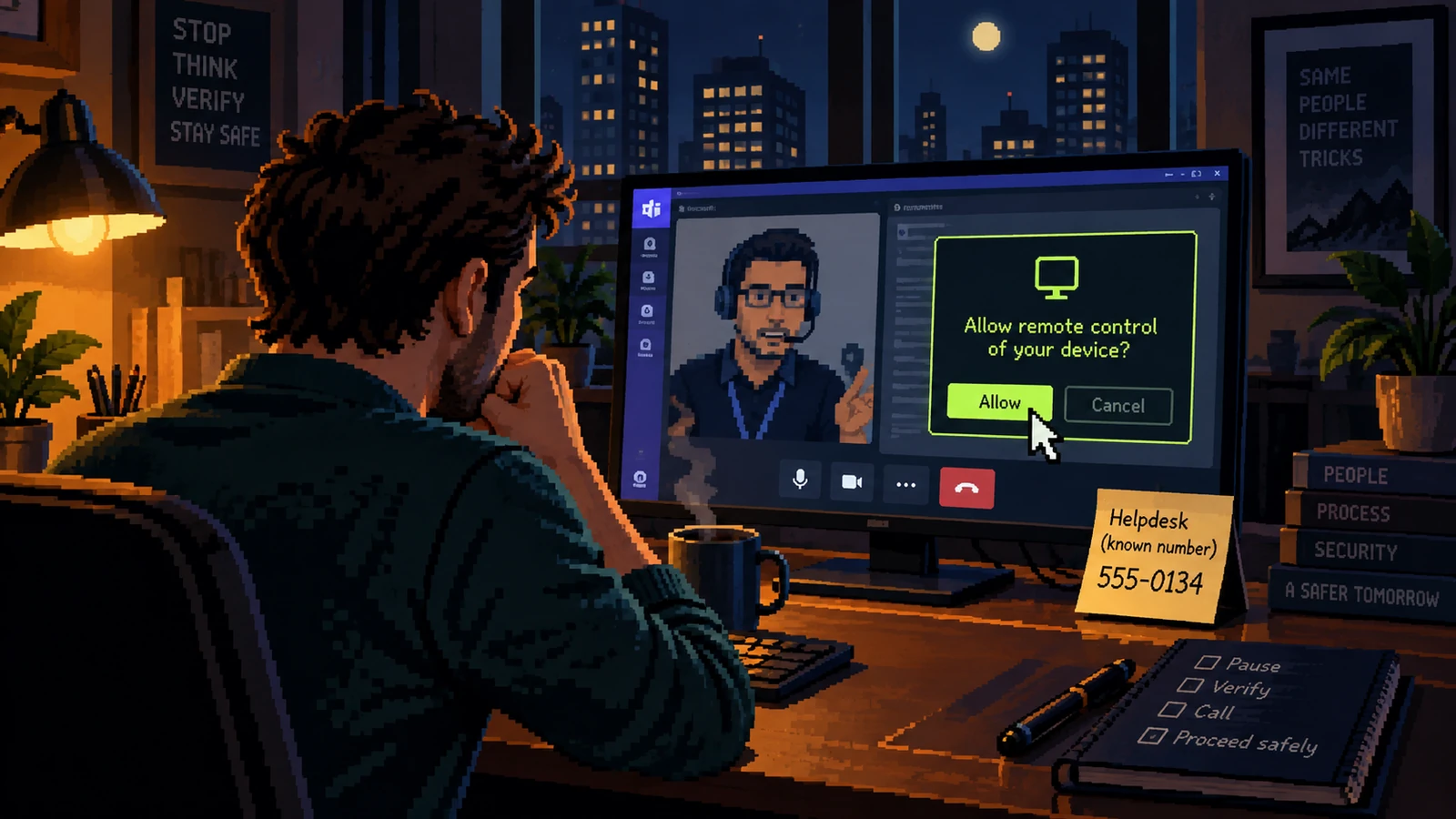
An incoming Teams call can feel more internal than an email, particularly when the caller uses a helpdesk name, knows the organization and offers to fix a problem immediately. Microsoft’s September research shows why that feeling is not a security control. The observed campaign began with an external tenant and depended on the employee voluntarily accepting contact, starting a screen share, approving remote control or reading back a Quick Assist code.
The attackers did not need to invent an exotic support tool. They borrowed normal collaboration features and legitimate remote-assistance software, then used the live session to execute a broader intrusion. That is the painful point for ordinary staff: every screen can look familiar while the identity behind the session remains unverified.
What Microsoft Security Research, September 2, 2026 actually reported
Microsoft describes a multi-stage chain: an external Teams user initiates the contact, the target is persuaded to grant control through Teams or Quick Assist, and the remote session is used to run commands and install a loader. The activity can then move beyond one laptop into directory discovery, credential-backed access and lateral movement. External-contact labels and Accept or Block prompts were present; the social story was designed to make the user dismiss them as routine friction.
For a nontechnical employee, the crucial fact is not the malware family or command line. It is that remote-control consent changes the caller from a person who can offer advice into a person who can operate the device. Helpdesk identity must be established before that boundary is crossed, not after the caller has opened settings or asked the employee to look away.
Channel
The contact arrives through a real collaboration platform but from an external tenant.
Authority
The caller claims urgency, a security incident or a required update.
Capability
The pivotal request is control of the screen, a connection code or execution of a file.
From “External chat” to “Installer or command”
The attack becomes easier to recognize when each step is named by the capability it grants. The first greeting is low impact; the later approvals are not.
| Moment | What it appears to mean | What to verify |
|---|---|---|
| External chat | A normal helpdesk introduction | Was a ticket opened, and does the directory show this account as internal? |
| Screen share | A technician needs to see the error | Can the employee share only a screenshot through the ticket instead? |
| Remote control | The fastest way to fix it | Did the employee initiate support through a known number or portal? |
| Installer or command | A standard repair step | Is the action documented and visible to the organization’s support team? |
The decisive signal is not whether the caller sounds technical. It is whether the caller asks for a capability that the employee cannot easily take back.
How to interrupt installer or command
A safe refusal does not require an argument about whether the caller is malicious. It requires a predictable handoff to the real support process.
- Do not accept remote control, open Quick Assist or read a connection code during an unsolicited call.
- Capture the external-account label, display name and time without continuing the session.
- End the call and open a ticket through the known internal portal or dial the number in the company directory.
- Ask the verified helpdesk whether it initiated the contact and provide the screenshot or call details.
- If legitimate support is required, start a new session from the verified ticket and keep the work visible.
- Report the original account so other employees can be warned before the pretext is reused.
Recovery after installer or command
If control was granted, assume the session may have changed more than the item shown on screen. The response should cover identity, endpoint and collaboration logs together.
- Disconnect the device from the network without deleting chat history or remote-session evidence.
- Call the verified security or IT response number from another device.
- Revoke active sessions and review authentication methods as directed by the incident team.
- Preserve the Teams conversation, external tenant details, Quick Assist code and approximate timeline.
- Do not use the potentially controlled machine to change high-value passwords until the response team clears it.
Why “External chat” can feel routine
In the sequence documented by Microsoft Security Research, September 2, 2026, the first move creates recognition. The second move converts recognition into cooperation. The last move makes the consequence real. None of those stages requires carelessness. The approach behind “The support call is inside Teams. The remote-control request is still the decision point” works by making the next action appear consistent with the role, project or relationship already in front of the recipient.
Training often overemphasizes spelling mistakes and theatrical urgency. In this case, the stronger question is whether the process has been quietly redesigned around the new contact. “External chat” may look routine, yet it can position “Installer or command” as the natural conclusion. A legitimate request should remain valid after a pause, a call-back and review by another authorized person.
Four decision points before “Installer or command”
1. External chat
Why it works: A normal helpdesk introduction. In a busy day, that explanation can be enough to keep the interaction moving. The safer test is narrower: Was a ticket opened, and does the directory show this account as internal? This does not require the recipient to prove fraud. It only requires the sender’s claim to survive contact with a record or channel that the sender did not create.
What to notice after external chat: Observe what changes at this point in “The support call is inside Teams. The remote-control request is still the decision point.” Does the sender gain a reply, a session, a payment instruction, a new device, a document, or permission to continue? Naming the capability behind a normal helpdesk introduction is more useful than guessing the sender’s personality. It gives a colleague or incident team a concrete fact to verify instead of a vague feeling that this particular message looked wrong.
2. Screen share
Why it works: A technician needs to see the error. In a busy day, that explanation can be enough to keep the interaction moving. The safer test is narrower: Can the employee share only a screenshot through the ticket instead? This does not require the recipient to prove fraud. It only requires the sender’s claim to survive contact with a record or channel that the sender did not create.
What to notice after screen share: Observe what changes at this point in “The support call is inside Teams. The remote-control request is still the decision point.” Does the sender gain a reply, a session, a payment instruction, a new device, a document, or permission to continue? Naming the capability behind a technician needs to see the error is more useful than guessing the sender’s personality. It gives a colleague or incident team a concrete fact to verify instead of a vague feeling that this particular message looked wrong.
3. Remote control
Why it works: The fastest way to fix it. In a busy day, that explanation can be enough to keep the interaction moving. The safer test is narrower: Did the employee initiate support through a known number or portal? This does not require the recipient to prove fraud. It only requires the sender’s claim to survive contact with a record or channel that the sender did not create.
What to notice after remote control: Observe what changes at this point in “The support call is inside Teams. The remote-control request is still the decision point.” Does the sender gain a reply, a session, a payment instruction, a new device, a document, or permission to continue? Naming the capability behind the fastest way to fix it is more useful than guessing the sender’s personality. It gives a colleague or incident team a concrete fact to verify instead of a vague feeling that this particular message looked wrong.
4. Installer or command
Why it works: A standard repair step. In a busy day, that explanation can be enough to keep the interaction moving. The safer test is narrower: Is the action documented and visible to the organization’s support team? This does not require the recipient to prove fraud. It only requires the sender’s claim to survive contact with a record or channel that the sender did not create.
What to notice after installer or command: Observe what changes at this point in “The support call is inside Teams. The remote-control request is still the decision point.” Does the sender gain a reply, a session, a payment instruction, a new device, a document, or permission to continue? Naming the capability behind a standard repair step is more useful than guessing the sender’s personality. It gives a colleague or incident team a concrete fact to verify instead of a vague feeling that this particular message looked wrong.
Where workplace deception needs protective friction
The first protective move is simple: Do not accept remote control, open Quick Assist or read a connection code during an unsolicited call. The second is procedural: Capture the external-account label, display name and time without continuing the session. Together, those moves separate the sender’s narrative from the organization’s evidence. They are deliberately slower than clicking Reply, but much faster than recovering money, identity access or a compromised device.
The next layer is social. End the call and open a ticket through the known internal portal or dial the number in the company directory. People bypass controls when they believe delay will disappoint a customer, executive or colleague. A good policy therefore grants explicit permission to pause and defines who owns the follow-up. The recipient should not have to investigate alone while the requester waits on the line.
Evidence to retain after “External chat”
Evidence about the support call is inside teams. the remote-control request is still the decision point is most useful when it captures the original route and the requested action. Do not keep chatting simply to make the sender confess. Save what already exists, note what was approved or disclosed, and move reporting to a trusted channel. The following details give responders a workable starting point:
- Disconnect the device from the network without deleting chat history or remote-session evidence
- Call the verified security or IT response number from another device
- Revoke active sessions and review authentication methods as directed by the incident team
- Preserve the Teams conversation, external tenant details, Quick Assist code and approximate timeline
A screenshot can communicate the visible story around external chat, but the original message, full sender address, link, meeting invitation or transaction reference may contain more useful technical detail. Preserve both when it is safe to do so. Avoid forwarding suspicious material around the organization; use the approved reporting method so the artifact behind installer or command does not become a second exposure.
A two-minute response before “Installer or command”
Stop before the highest-impact request: do not accept remote control, open quick assist or read a connection code during an unsolicited call. Leave the sender’s route, then check the claim in a system or contact record you already trust. If it is genuine, resume through the verified process; if it is not, report the original interaction and warn the people most likely to receive the same workplace deception pretext. That sequence works even when the message is polished or the screen belongs to a legitimate service.
What workplace deception teams should change
Organizations should publish exactly how support initiates contact, whether technicians ever use external tenants, and which remote tools are approved. A staff member should have a single, memorable callback route and explicit permission to stop a support interaction without penalty. That is more useful than telling people to “be careful” with every Teams call.
The channel can be genuine while the operator is not. When support identity is uncertain, pause before granting capability and rebuild the conversation from a route the caller did not choose.
Microsoft Security Research, September 2, 2026 ↗
The primary report documents the observed attack chain and Microsoft’s investigation. Product-specific detection guidance belongs to Microsoft; the verification workflow above is our defensive interpretation for employees and small teams.