FTC warns drivers: fake parking-meter QR stickers can steal payment details
The FTC’s September 2026 alert warns that fake QR stickers can redirect parking-meter users to imitation payment pages. Learn how to check a code, verify the real operator, and respond if you already entered card details.
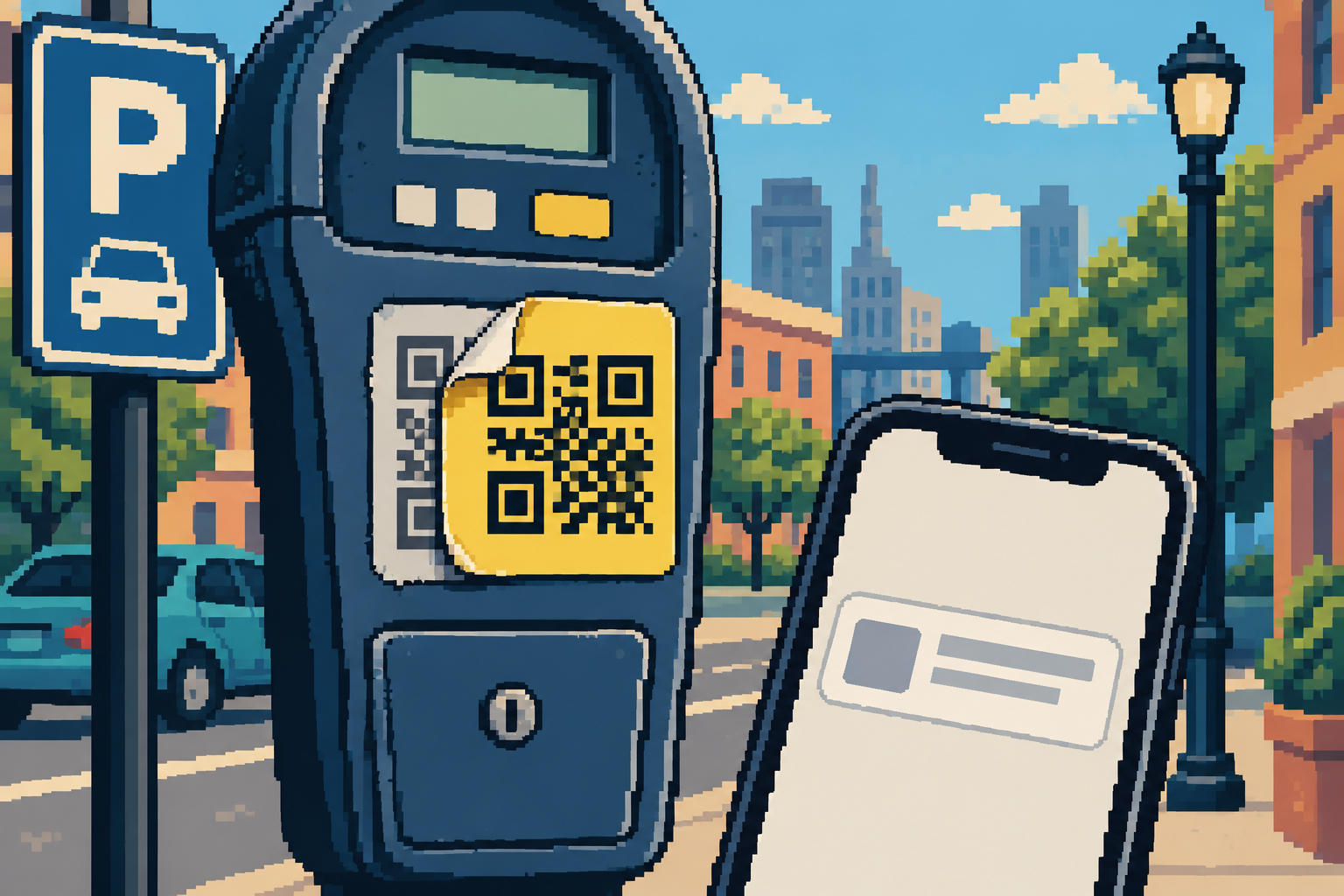
A September 2026 Federal Trade Commission alert describes a low-tech swap with a familiar target: a fake QR sticker placed over a legitimate parking-payment code. The square itself is not magic. The risk begins when a driver trusts the destination and enters card details on an imitation site.
Parking is exactly the kind of small, time-pressured task where a QR code feels helpful. You have found a space, traffic is moving around you, and the meter says “scan to pay.” A sticker looks official enough, so you scan, enter a plate number and card, and hurry on. The September 2026 FTC consumer alert warns that scammers have covered legitimate parking-meter QR codes with their own codes, directing people to fake payment sites that can collect money or personal information.
The warning matters because this is not necessarily a sophisticated phone exploit. The code can simply be a shortcut to a convincing fake page. A successful scan does not automatically mean your phone has been hacked; the decisive danger is what the page asks you to do next—pay, sign in, download an app, or grant access.
Local reports and community discussions show why the tactic travels well: a sticker can be placed where a driver already expects a payment instruction. A September Reddit post described a person who said a parking-meter QR code led to a fake payment page after a sticker had been placed over the real code. That account is anecdotal, not independently verified, but it illustrates the exact decision point in the FTC warning: a familiar physical object is not proof that the link is official.
How a 10-second payment turns into a trust problem
- Borrowed authority: the code sits on a city meter or parking sign, so it inherits the location’s credibility even if someone else added it.
- Time pressure: drivers want to avoid a ticket and may not stop to compare the web address with the operator’s name.
- Routine information: entering a plate number and payment card feels ordinary on a parking page, which can mask a fraudulent destination.
- Low-friction checkout: a small parking charge may seem too minor to scrutinize. But card details—not just the displayed fee—are valuable.
- Unclear responsibility: after paying a fake site, a driver may still owe the real parking fee and could receive a ticket. A payment confirmation from an unknown site is not proof that the city received the money.
The meter-side check: a practical sequence
| Check | What to notice | What to do if it fails |
|---|---|---|
| Look at the physical label | Extra layers, peeling edges, a sticker over another code, inconsistent fonts, or a code placed where official labels normally are not. | Do not scan that code. Photograph it only if safe and report it to the parking operator or city. |
| Preview before opening | The camera or QR reader may show a web address. Look for misspellings, odd extra words, or a domain unrelated to the city or parking operator. | Close the preview. Do not treat a padlock or HTTPS alone as proof that the site is legitimate. |
| Compare with official instructions | Does the meter name an app, operator, website, or payment method? Does the city say QR payment is used at this location? | Use the city’s official parking page, a meter number, or an app found through the operator’s own website. |
| Review the payment page | Unexpected login, excessive personal data, app installation, or permission requests for a basic parking payment. | Stop. A parking checkout should not need your email password, one-time code, or remote access to your device. |
| Confirm the session | A receipt, plate number, zone, and payment status that match the official service. | Check the official app or contact the operator through a number you looked up independently. |
Why “it has a lock” is not a verification method
HTTPS protects a connection between a browser and a website. It does not establish that the website is the right parking provider. A scammer can operate a secure website, and a browser can show a lock icon beside a deceptive domain. That is why the FTC recommends inspecting the destination link. The better question is not simply “Is this connection encrypted?” but “Did I reach the payment service the city actually uses?”
Also avoid relying on the first search result for the operator’s name if you are already under pressure. Use signage that you can independently confirm, an official city website you type yourself, or a trusted app already installed from an app store. A sponsored result or lookalike domain can add another layer of confusion.
If the code looks suspicious
Choose a payment option that does not depend on the questionable sticker—coins, a staffed kiosk, a verified app, or the operator’s independently located website, depending on the location. Check the parking authority’s instructions for the meter or zone. If there is no safe method available, move to another legitimate payment point if practical and contact the operator; do not let a stranger standing nearby hurry you into a payment.
Report the altered sticker to the city or parking operator so staff can inspect it. Give the location, meter or zone number, and a brief description. Avoid posting a full image of a usable code online: someone else might scan it, and an active code could expose information about the destination. If you take a photo for a report, do not put yourself in traffic or disturb the sticker.
Already scanned? Match the response to what happened
You only opened the link: close the page. Scanning or viewing a page does not by itself prove that your device was compromised. Do not download anything or grant permissions. Keep your phone’s operating system and apps updated.
You entered card information or paid: contact the card issuer using the number on your card or its official app. Explain that the details were entered on a suspected fake parking page; ask about blocking or replacing the card and disputing any unauthorized transactions. Review recent activity. Then pay the legitimate parking charge through a verified channel if it is still due.
You entered a password: change it on the real service, reached independently, and anywhere else you reused it. Check recent sign-ins and recovery options. If you shared a one-time code, treat that as urgent and review the account immediately.
You installed an app or granted permissions: remove an app you do not recognize, review permissions and device-management settings, and seek help from a trusted support provider if the phone behaves unexpectedly. The FBI’s separate warning about QR codes in unsolicited packages notes that unknown codes can be used to lead people to requests for personal or financial information or malicious downloads; it advises caution with app permissions. That package scenario is different from a parking-meter sticker, but the general rule is the same: do not install software just because a QR page tells you to.
What parking operators can do
Drivers should not have to become forensic inspectors to pay for a space. Cities and operators can make the official process easier to recognize: publish the correct domain and app in plain text; show a meter number and a non-QR payment option; use tamper-evident labels; inspect high-traffic meters; and provide a fast way to report altered signage. They can also say clearly whether QR codes are used at all. Where the only payment path is a code on an unattended sign, the operator has placed much of the verification burden on the driver.
A concise sign helps more than a warning buried on a website: “Official payment domain: example.city.gov. We never ask for your account password or a one-time security code.” The exact domain and available payment methods must come from the local authority; drivers should not infer them from a generic example.
What the recent alert does—and does not—establish
The FTC’s September 2026 alert says people have reported legitimate parking-meter QR codes being covered by a scammer’s code, and that fake destinations may be designed to steal money or personal information. It recommends inspecting the URL, updating devices and apps, and protecting accounts with strong passwords and multi-factor authentication. It does not claim that every QR code at a meter is fraudulent, nor that scanning one automatically infects a phone.
That calibration matters. QR payments are used legitimately in many places, and a sticker that looks unusual can have an innocent explanation. The safest habit is not panic; it is independent verification before payment. If the physical label or destination does not match the operator’s published instructions, switch channels and report the concern.
A small pause that prevents a costly detour
At a parking meter, a QR code is an invitation to visit a destination—not proof of who owns it. Inspect the sticker, preview the link, compare it with a source you chose, and stop if the page asks for information that does not fit the task. If you already entered details, contact the relevant bank or account provider through official channels and review activity promptly.
Related: our guide to checking a public Wi-Fi sign-in page and the report on why even a real security notification can contain untrusted instructions.
Sources
- Federal Trade Commission, September 2026: “See a QR code parked somewhere? Don’t scan it…yet!”
- FBI, July 2025: unsolicited packages containing QR codes used to initiate fraud schemes (a different scenario; relevant to caution about unknown QR destinations and permissions)
- Reddit, September 2026: first-person account of a claimed fake parking-meter code (anecdotal, not independently verified)
- FBI Internet Crime Complaint Center (IC3)